
HWID SPOOFER GUIDE
Frero Market Documentation
Important
Following all steps is 100% required.
Welcome to the official Frero Market documentation page.
This guide explains the setup process, required tools, common errors, and troubleshooting steps for your loader and related software.Inside this guide you will find: – Loader setup instructions – Required downloads – Step-by-step process overview – Common errors and troubleshooting – Support information
Loader Setup
⬇️ Download Loader⬇️ Download Requirement Installer
Run the installer as Administrator and restart your PC afterwards.
Process
Follow the steps below.
Step 1 — Launch and Authenticate
- Open the Loader.
- Sign in using your credentials.

Once logged in, click the arrow icon on the right-hand side to expand the advanced panel.

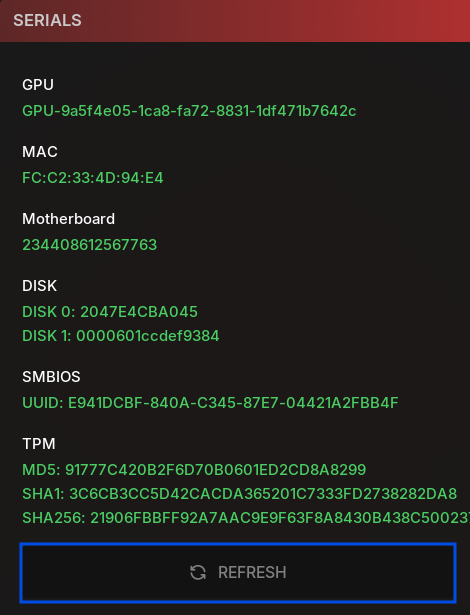
Step 2 — Serials
- Click Refresh.
- Take a screenshot of the serials.
- Save the screenshot to your Desktop (or another easily accessible location).
Step 4 — Spoofing
- Click Change Seed once
- Click Spoof.
- Select all required options, for example:
Required options (example)
- ARP
- EasyAnticheat (required for Fortnite / FN)
- Rico Spoof (required for COD/WARZONE)
Start the spoofing process and wait until it fully completes.


Step 5 – Post-Spoof
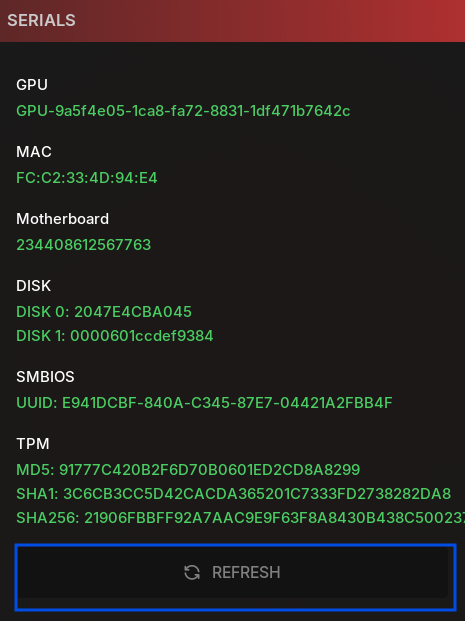
- Click Refresh again.
- Compare the new serials against your previously saved screenshot to confirm that changes were successfully applied.
- If you’re spoofing for COD (GAMEPASS) disable Bluetooth in Device Manager.
BSOD Error
Common Issues
- Unsupported Windows Version (CustomOS)
- Anti-Virus software may interfere
- Virtualization must be disabled (Blue Screen / Black Screen)
NOTE
If none of the above helped, consider a clean Windows reinstall or contact support.
Gamepass (Black Ops)
If you’re experiencing issues, verify game files in the Xbox App, then restart and try again.
Other Errors
Support
Open a support ticket on our
Discord server.